

contact@equerio.io Français

Your project file, squared away.

Equerio assists the client-side project manager. The emails and documents of a property project are collected as soon as they arrive. For each one, Equerio suggests a name that follows your naming convention and its place in your file plan: you confirm or correct.

Request a demo Being piloted on a first project.
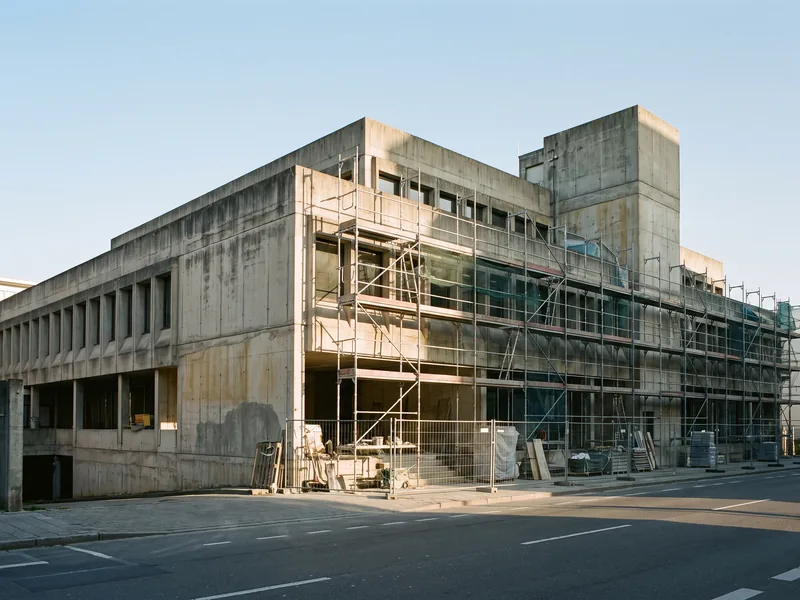
A concrete office building under refurbishment, its façade covered in scaffolding.

Equerio in one minute

A tour of the application, on fictitious data. No voice-over: the text is on screen, in French.

One minute, video in French, no voice-over. Fictitious data.
Read the text of the video (English translation)
  1. Equerio. For real-estate project owners: your real-estate projects, squared away.
  2. Hundreds of documents. Dozens of contributors. One project file to keep up to date.
  3. Create the project from a template: phases, expected documents and sections are in place from day one.
  4. One email address per project: contributors copy it in, and attachments arrive in the project.
  5. Suggested filing and naming: every document goes through the screening; you confirm or correct.
  6. The project file: every value tells which document it comes from.
  7. Budget, committed, invoiced: quotes, orders and invoices matched, line by line.
  8. The Gantt schedule: published versions, and the one that is authoritative.
  9. Dashboard, alerts, deadlines: you know where each project stands.
  10. And the day-to-day of the project: search across documents and the project file; Word documents generated from your templates; guests with rights per domain; committees and meeting types.
  11. The whole portfolio at a glance: progress, deadlines and finances of each project.
  12. Your real-estate projects, squared away. Hosted in the European Union, in French and English. Request a demo: equerio.io.

Download the video (MP4, 1 min)

What Equerio does

Collect
Each project has its own address. Copy it in or forward to it: emails and attachments arrive in one place.
Name and file
For each document, Equerio suggests a name that follows your convention and the right folder in your file plan. You confirm or correct.
Track
The documents the project file expects, and the budget, package by package: what has been received, what is missing, what is committed.
Find
Search for a document by its name or its content, a value in the project file, a task in the schedule, an entry in the budget.
Generate a document
Letter, instruction, minutes, transmittal: your templates are filled in with the project's data, as a PDF or an editable document.
Get it signed
One workflow per document: approvals, then signatures. Equerio shows who the document is waiting with, and since when.

From email to project file

A document arrives. Equerio suggests its name and folder, reads it once it is filed, and shows you where each piece of information comes from. Fictitious example.

  1. Received

    “FW: RE: level 2 drawings updated”, with Scan_0412.pdf

  2. Renamed

    NH_ARC_DWG_Level-2_revC_2026-09-14.pdf

  3. Filed

    04 Design › Architect drawings

  4. Read

    Level 2 drawing, revision C, dated 14/09/2026

  5. Added to the file

    Current drawing: revision C Source: this document, page 1

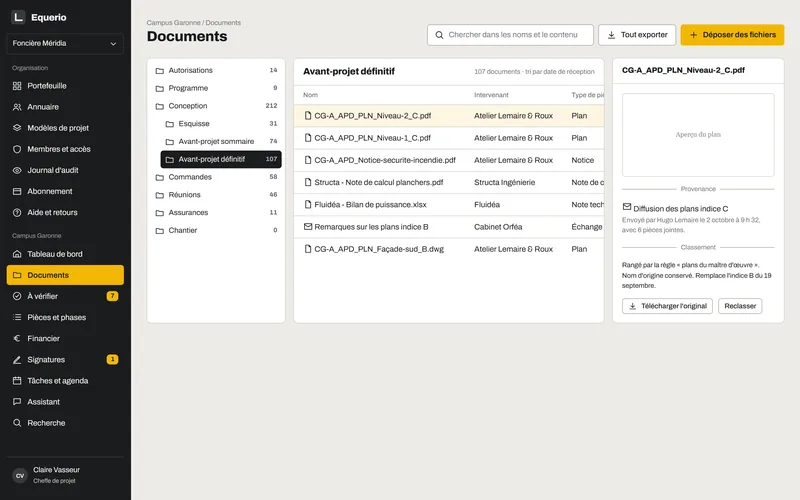
Documents screen of a project: the file plan tree, the list of documents in a folder, and where the selected document came from.
A project's documents, filed in the file plan. Mock-up, fictitious project, interface in French.
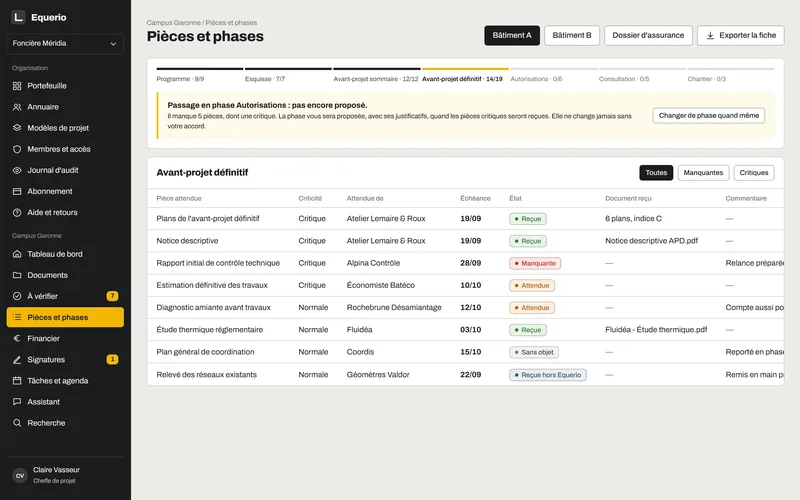
Documents by phase screen: each expected document, with its status — received, missing or expected.
Expected documents, phase by phase: what has been received, what is missing. Mock-up, fictitious project, interface in French.

Get documents signed, without losing sight of them

One workflow per document: approvals, then signatures. You know who the document is waiting with.

Amendment no. 2 to the package 06 contract — fictitious example

  1. Prepared

    Done on 02/10 · Project manager

  2. Legal approval

    Done on 05/10 · Legal department

  3. Signature

    Waiting for 2 days · Client

  4. Countersignature

    Upcoming · Package 06 contractor

Signed in your own signing tool or on paper

Equerio keeps track of the workflow: legal approval, signature, countersignature. You upload the signed document, which stays linked to the original.

An open document on a drawing, with a pen resting on it.

For a project's everyday documents: instructions, amendments, formal records, sign-offs. The document to sign can come from one of your templates.

Published prices, per project

Unlimited users and guests: you pay for your organisation, then for each active project according to its budget.

Billing

Equerio

Annual: €125 excl. VAT instead of €150 excl. VAT Monthly: €150 excl. VAT per month for your organisation

i.e. €1,500 excl. VAT per year, billed annually

plus, for each active project, a fee per month based on its budget:

S under €3m
Annual: €250 excl. VAT instead of €300 excl. VAT, i.e. €3,000 excl. VAT per year Monthly: €300 excl. VAT
M €3m to €15m
Annual: €375 excl. VAT instead of €450 excl. VAT, i.e. €4,500 excl. VAT per year Monthly: €450 excl. VAT
L €15m to €50m
Annual: €500 excl. VAT instead of €600 excl. VAT, i.e. €6,000 excl. VAT per year Monthly: €600 excl. VAT
XL over €50m
price on request
  • Unlimited users and guests: design team, contractors, engineering consultants
  • Archived project: viewable and exportable free of charge for 12 months

Request a demo

Large projects and pilots

Price on request

Purchase order and bank transfer

  • Projects over €50m (XL tier)
  • Unlimited users and guests, as in the plan
  • Volumes and assistant usage tailored to your projects
Write to us

Being piloted on a real project

From autumn 2026, Equerio is being put to the test by a client-side project team, on a project under way.

The database is hosted in France; files, processing and the artificial intelligence model, in the European Union.